
How to split costs on a group trip: fair for everyone, awkward for no one
4 min read
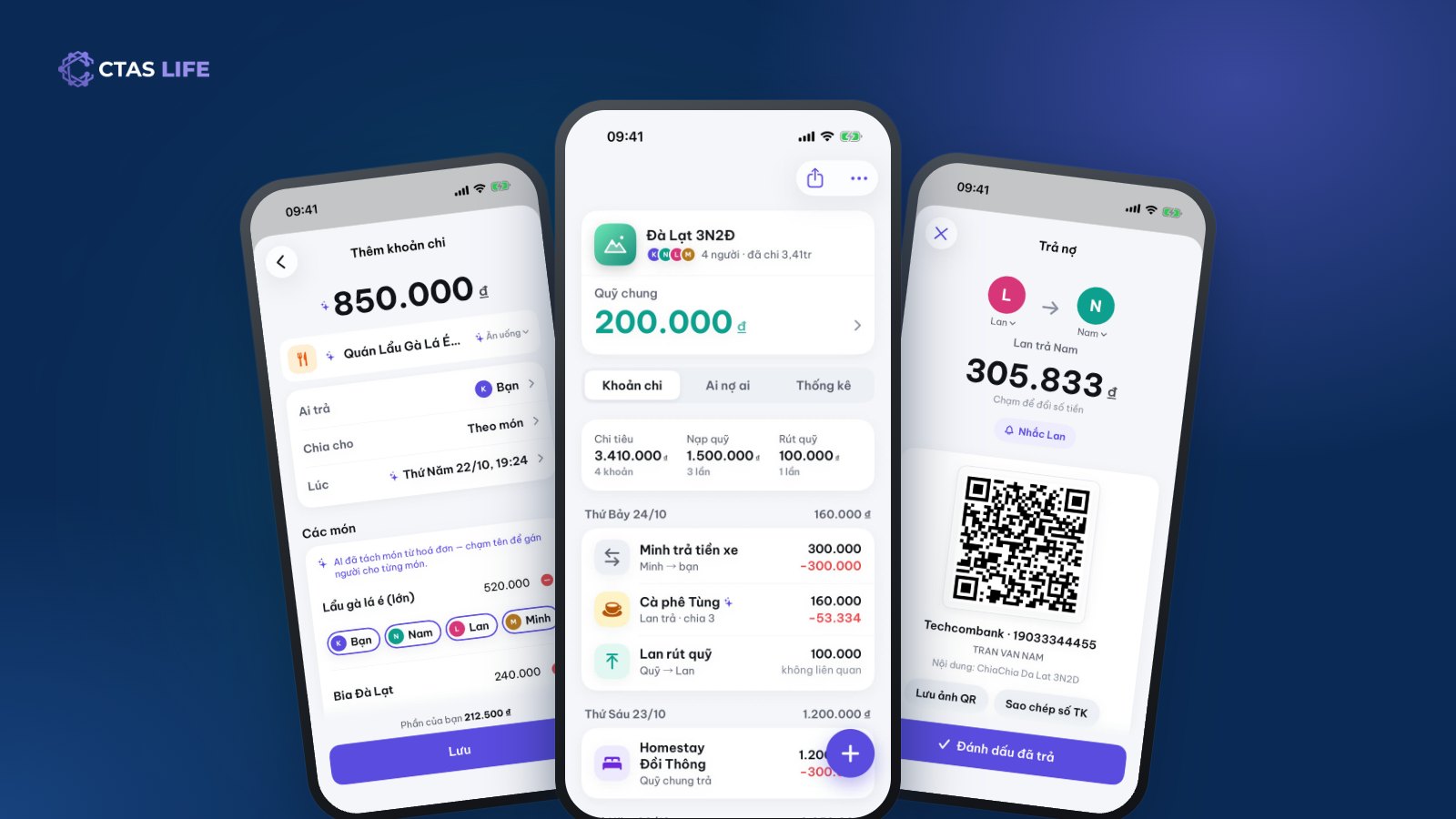
A trip with friends is the most fun on the way out and the most awkward on the way back, when someone has to add it all up. One person paid for the car, another for the room, someone covered the hotpot, one friend does not drink beer, another left a day early. Nobody wants to be petty with friends, and nobody wants to be out of pocket either. Here is how to split a group trip so it stays clear and friendly, using a three-day, two-night trip to Đà Lạt for four people as the example.
1. Agree on how to split before you go
Most of the friction comes from everyone assuming something different. Before the trip, agree on three things:
- A shared fund? Everyone chips in first (say 500,000 VND) and shared costs come out of the fund. Good for close groups, long trips and lots of small spends.
- Or log as you go? Whoever pays notes it down, and you settle at the end. Good when someone pays big items up front, like the room or the bus tickets.
- What is split equally, and what is not? Rooms and transport are usually equal. Food and drinks can be split by item when people order different things.
Plenty of groups use both: a fund for the small stuff, and the big items logged under whoever paid.
2. Create the group and invite everyone
In CTAS Life, open TriTri, create a group called "Đà Lạt 3N2Đ" and add the four of you. Share the 6-character code or the invite link in your group chat so everyone joins themselves; friends without the app can be added by name first and claim it when they install. Travelling with a couple? Turn on Paying together? to treat two people as one when splitting.
Groups have roles: owner, secretary (who can edit other people’s expenses), member and viewer. In a big group, one secretary keeping the book is the tidiest.
3. Log each expense the moment you pay
The golden rule: pay, then log it straight away — not that evening from memory. Three quick ways:
- Type it: amount, who paid, who shares. A few seconds.
- Say it: hold the mic and say "Hotpot 850k, Nam paid, split equally"; the expense is filled in for you to check and save.
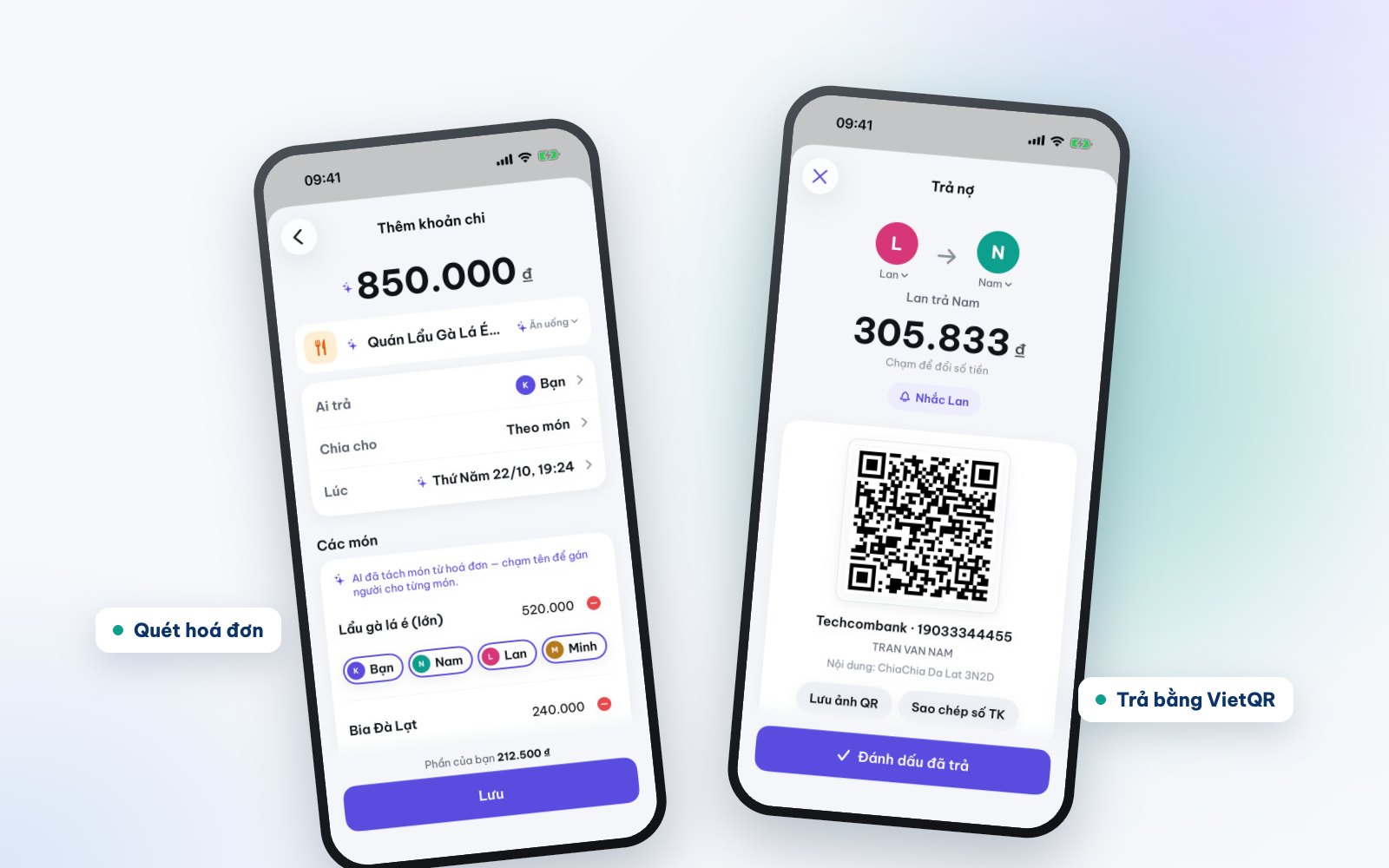
- Scan the bill: photograph the restaurant bill and AI splits out each item and price. Tap who had what — the beers only for the three who drank, the vegetarian dish for the vegetarian.
A bill scan costs 3 credits and one spoken or typed entry 1 credit; every account gets 30 free credits a month, plenty for a normal trip.
4. Example: four friends in Đà Lạt
You travel with Minh, Lan and Nam, and the group puts 1,500,000 VND into a shared fund. During the trip:
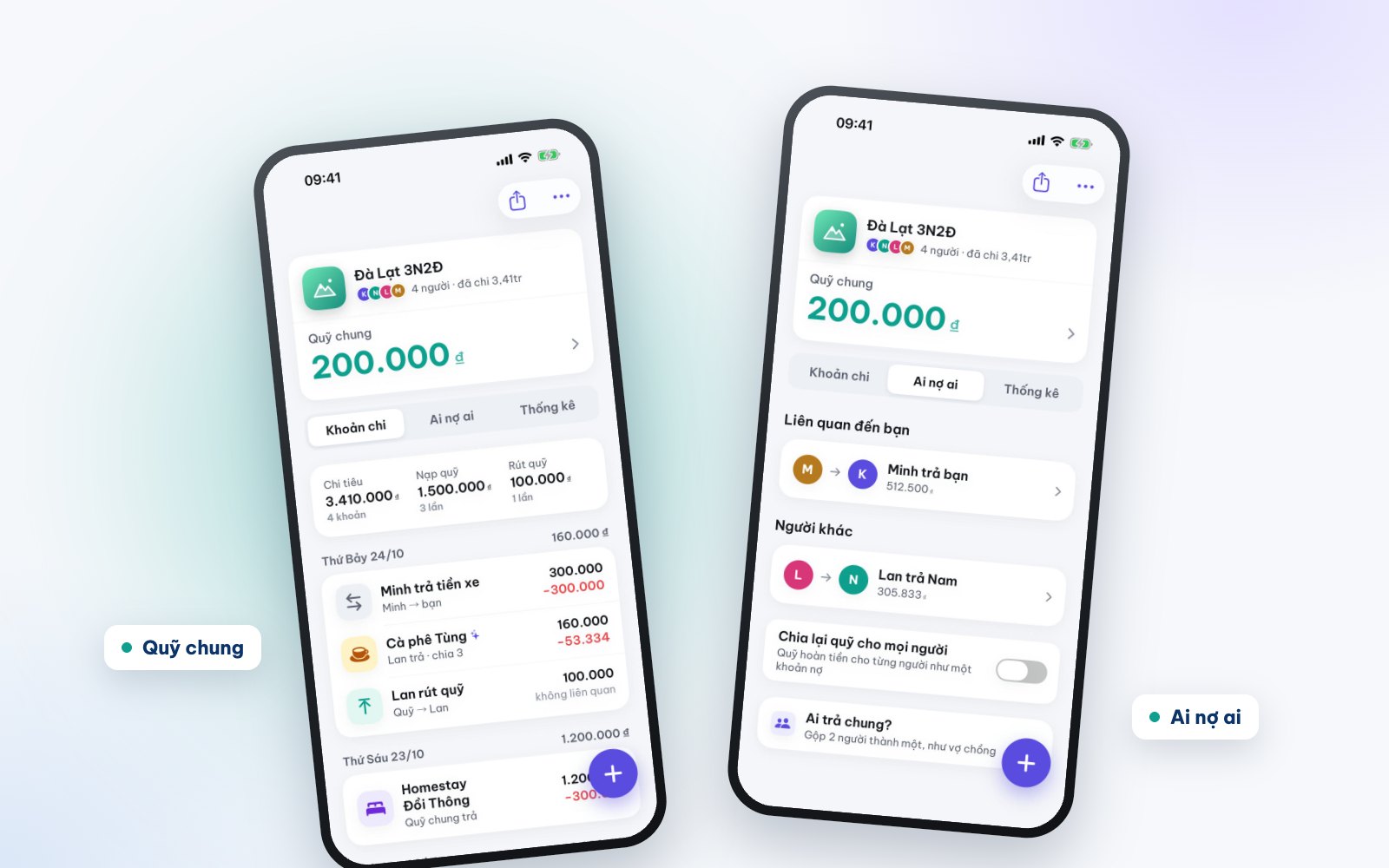
- Two nights at a homestay, 1,200,000 VND, paid from the fund, split equally.
- Minh pays 300,000 VND for the rental car for everyone.
- Hotpot, 850,000 VND, Nam pays, split equally.
- Coffee, 160,000 VND, Lan pays, shared by three (Nam stayed at the homestay).
Instead of everyone doing sums, TriTri shows right away what each person spent, who is owed, who owes, and what is left in the fund. The Who owes whom screen suggests the simplest way to settle: instead of six back-and-forth transfers, usually two or three do it.
5. Settle up and close the trip
Tap a debt to open a VietQR code with the amount and transfer message filled in. The person who owes scans it with their banking app and taps Mark as paid. Someone forgot? Use Remind to send a gentle nudge, so you do not have to bring it up yourself.
Money left in the fund? Turn on Return the fund to everyone and the fund pays each person back like a debt. When the trip is done, archive the group to keep your list tidy while the history stays.
A few tips to keep it friendly
- Going abroad: pick the destination’s currency when you create the group; TriTri supports several currencies.
- Someone left early: share the later expenses only among those still there.
- Can’t agree who pays for dinner? Open Lucky Draw and spin — everyone accepts the wheel.
- Your share of the group goes into Spending by itself, so at month end you know what the trip cost without logging it again.
Get CTAS Life for your next trip
TriTri is part of CTAS Life, free on the App Store and Google Play. On your phone? Tap get CTAS Life. Every feature is on the CTAS Life page.
Related articles
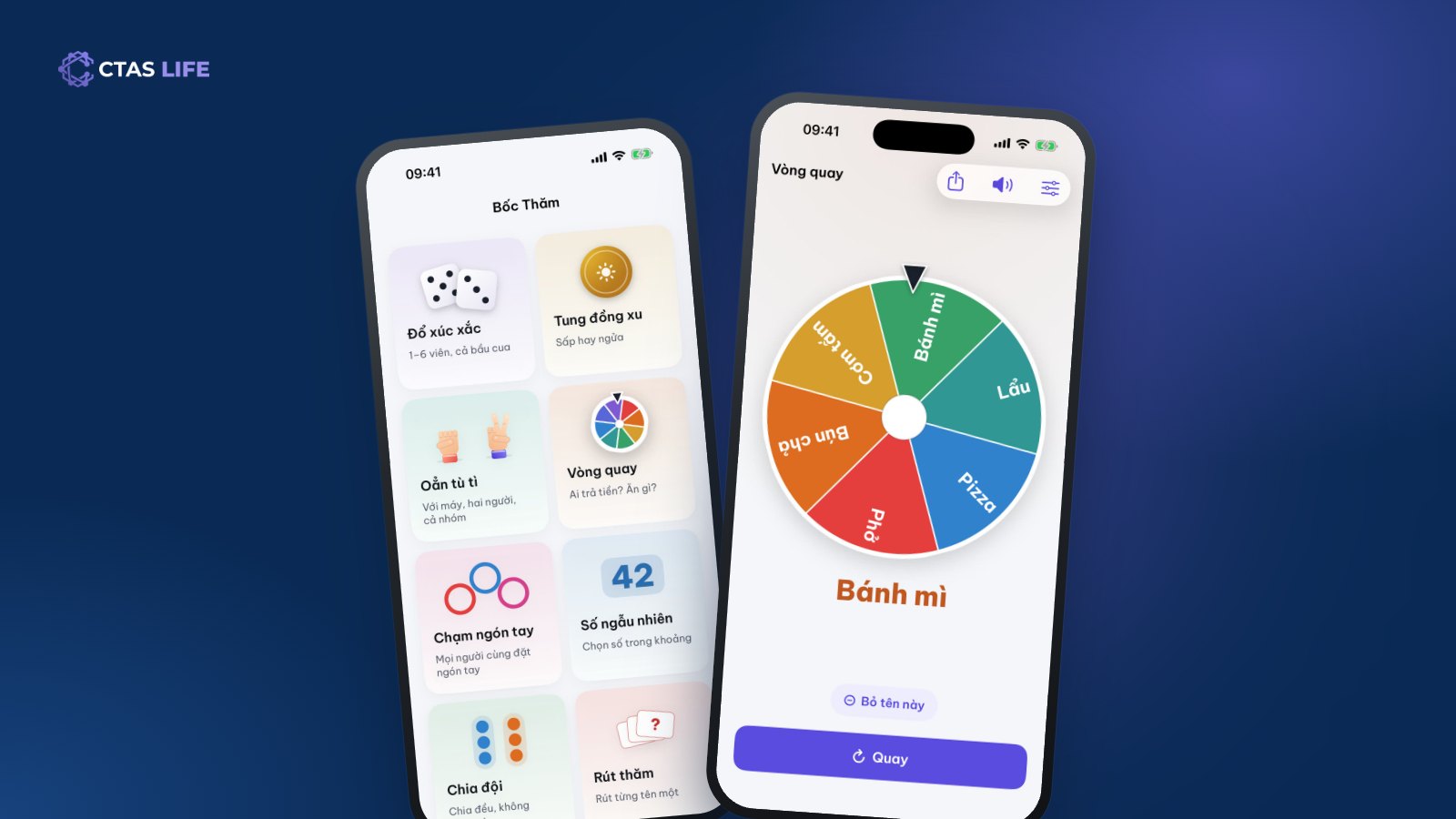
Split teams or pick who pays: 8 ways to decide at random as a group
Football needs two teams, nobody can pick a restaurant, nobody wants the dishes. The eight lucky draws in CTAS Life — wheel, dice, coin, finger pick, team split — and which one fits when.
3 min read
Never miss your parents’ lunar birthdays and family dates with the Lunar Calendar
A lunar birthday lands on a different solar date every year, which makes it easy to forget. How to save it once and be reminded on the right day for good, share a date book with the family and find good days for a wedding.
4 min read
Track daily spending without giving up: send one message, let AI log it
Most people quit tracking spending within a week because it is a chore. How to keep the habit with Spending in CTAS Life: log in a few taps, type "noodles 45k" for Xu to log it, see where the month’s money went.
4 min read